designMaster
icon
1 class
check
student login
username
password
login
how works l how works l faq l faq l faq


Digital Photo Retouching Training

using Adobe Photoshop

Digital Photo Retouching The more experienced a photographer you are, the more you accept the truth: that nearly every photograph can benefit from some retouching in Photoshop. Photo retouching, which can range from correcting small color problems to making major changes to the subject or background, is a skill that every photographer or designer should possess.

In this 3-lesson course, you'll learn how to make better photographs. By using Photoshop's tools and filters, you'll learn to make seamless changes, realistically enhancing your images so that nobody knows that any retouching was done. Designers and photographers will benefit from learning the professional routines taught in this course. Working with Ken Milburn, author of The Digital Photography Bible, you'll experiment with dozens of Photoshop retouching features. Lead a more colorful career with Ken's assistance along the way.

On this page: enrollment details | instructor | class projects and objectives | prerequisites

Class Title:

Photo Retouching

Start Date:

Classes start daily.
Enroll today and gain immediate access.

Class Length:

Three months of access to class materials and instructor feedback.

Instructor:

Ken Milburn

Other details:

Self-paced, online, 24 access to online learning environment


Tuition: $408

enrollNow more info

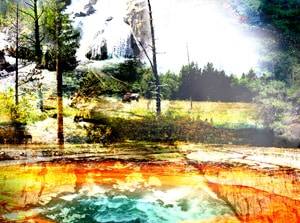
photoshopTOP: Image from Digital Photo Retouching with Ken Milburn.
Explore many professional techniques to make your photos beautiful.

Class Instructor Bio:

Ken Milburn is a professional photographer and leading expert in digital photography. Ken's photographic career has ranged from starlet publicity photos for Univeral Pictures, to album covers, advertising, and editorial work for the TV Guide and Los Angeles Times Sunday Magazine. His work has been featured in Design Graphics Magazine and Computer Graphics World. Ken is the principal author of 20 computer and photography books including Digital Photography: Expert Techniques from O'Reilly Associates, and The Digital Photography Bible from Wiley and Sons, and several books on Photoshop techniques. Ken has has written more than 300 articles on digital media, featured in Publish, DV Magazine, MacWorld, Computer Graphics World, PC World, and InfoWorld.).

Class Projects and Objectives:

This online class is packed with projects and tips.  Students can expect to: 

  • Explore the reasoning and ethical issues behind photo retouching.
  • Learn a variety of methods for making precise and soft selections.
  • Learn techniques and tools for darkening and lightening parts of an image.
  • Explore Photoshop's variety of healing and cloning tools.
  • Learn to use specialized filters for extracting and modifying the subject.
  • Correct the overall color of a given image.
  • Use the appropriate tools, including the Healing Brush and Clone Stamp Tools, to remove specks and scratches in the image.
  • Carefully select stained areas and apply feathering and corrections to them.
  • Learn a routine for edge sharpening.
  • Learn to use tools and filters to remove skin blemishes and smooth skin tone.
  • Learn when it's appropriate to retouch a portrait, and how much.
  • Learn techniques for dramatizing a subject's eyes.
  • Learn to improve a portrait's lighting.
  • Explore overall and specific methods of modifying color in a portrait.
  • Learn how and when to apply changes to a subject's body shape.
  • Make appropriate decisions for the retouching of a magazine cover photograph.
  • Choose and use the best technique(s) for correcting the lighting.
  • Smooth and correct skin using appropriate tools and filters.
  • Retouch the lips and eye area, and perform any other retouching that would glamorize the portrait.
  • Create, retouch, and submit a glamour magazine cover shot.
  • Learn to remove litter and other small items that get in the way or distract from the subject.
  • Learn to make a "patchwork" to cover large, problematic items in an image.
  • Explore several methods of enhancing a subject or landscape with lighting.
  • Learn to change the color of specific items in an image.
  • Learn techniques used to form composite images and make them convincingly realistic.
  • Take or find a car photo at an appropriate angle for a given roadway scene.
  • Retouch an image of a roadway as necessary.
  • Extract the image of a car from a background, bringing it into another scene, and adjusting the perspective.
  • Create a grounding shadow realistically based on the light in the scene.
  • Retouch the car as necessary so that it works in the scene.
Prerequisites:
  • Own and have basic experience with Adobe Photoshop 7, CS, or above.
 
 
email page
 
dot
dot
xerox
dot
dot
dot
dot
dot
 
       
sessions
line