Digital Photography II Looking to add spice to your photographs? Or additional techniques to your skillset? Of course you are—the photography medium is hot, the technology is available, and everyone digital is hoping to make it to the top of the photography world.
Shooting brilliant photographs requires a digital photography class that covers both technical and creative mastery. How and when to use your advanced camera's features? What shooting techniques will get the best results on location? And once you're done with the shoot, do you know how to handle image correction, compositing, retouching, and printing?
This digital photography class is an advanced course of study. Led by professional photographer Ken Milburn you'll be guided through 6 lessons of technical and creative challenges. Class projects include news, action, still-life, scenic, candid and location photos, plus printing and compositing. You'll gain new digital photography skills and have your work critiqued and improved with Ken's expertise.
On this page: enrollment details | instructor | class projects and objectives | prerequisites
Class Title: |
Digital Photography II |
|
Start Date: |
Classes start daily.
Enroll today and gain immediate access. |
|
Class Length: |
Three months of access to class materials and instructor feedback. |
|
|
Other details: |
Self-paced, online, 24 access to online learning environment |
|
|
| |
Tuition:
$803
|
 |
 |
|
 |
Class Instructor Bio:
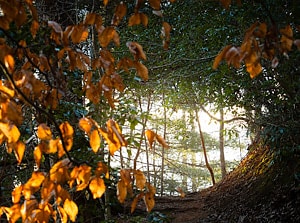
Ken Milburn is a professional photographer and leading expert in digital photography. Ken's photographic career has ranged from starlet publicity photos for Universal Pictures, to album covers, advertising, and editorial work for the TV Guide and Los Angeles Times Sunday Magazine. His work has been featured in Design Graphics Magazine and Computer Graphics World. Ken is the principal author of 20 computer and photography books including Digital Photography: Expert Techniques from O'Reilly Associates, and The Digital Photography Bible from Wiley and Sons, and several books on Photoshop techniques. Ken has has written more than 300 articles on digital media, featured in Publish, DV Magazine, MacWorld, Computer Graphics World, PC World, and InfoWorld. LEFT: Image from Digital Photography II with Ken Milburn.
Instructor Ken Milburn says a Histogram can reveal flaws in this raw file. |
Class Projects and Objectives:
This online class is packed with projects and tips. Students are expected to:
- Learn how and when to use special-purpose automatic settings such as shutter priority, aperture priority, burst mode, and panorama mode.
- Learn how to control the main focusing options: continuous, single, and manual focus.
- Learn how use light meter settings: average, matrix, center-weighted, and spot.
- Learn how to stabilize a camera and "frame" a shot using different viewfinder options.
- Take a series of photos that explore the techniques of exposure priority, focusing methods, light metering, and camera steadying.
- Present the best photo in each category (four photographs in total) along with a brief explanation of the approach used.
- Learn principles of composition including point of interest, framing and cropping, and rule of thirds.
- Learn approaches to perspective, point of view, angle of view, and lines.
- Learn some tried-and-true composition tricks including vignetting, removing distracting objects, cropping, clothing, props, background, and styling.
- Arrange a photo shoot with a view to creating a portrait photos and a still life.
- Present photos, including unedited originals, and comment on the approach to camera angle, point of interest, rule of thirds, focus, and editing used.
- Learn practical applications for a range of equipment and accessories to bring on location.
- Learn about ways of transporting equipment and protecting it in adverse conditions.
- Take 10 location photos, preferably including public transportation.
- Write a short commentary on how the shots were achieved, from a technical standpoint.
- Learn how to correct color, brightness, and gamma in Photoshop.
- Learn routines for color correction using auto color, curves, and levels tools.
- Retouch a given photo or portrait photo of your own.
- Use techniques learned (beginning with correcting the color, exposure, gamma, and contrast) to correct a photo.
- Retouch a photo to produce an optimized but natural result, writing a commentary on the techniques you used.
- Learn how to optimize your editing environment and calibrate your monitor.
- Learn some good choices for inks, printers, and papers.
- Learn the issues in achieving archival quality.
- Learn about resolution, resizing, and color management issues for printing.
- Learn how to set up a printer profile.
- Take a shot with a broad range of colors, printing two copies, one at home and one at a commercial kiosk.
- Compare and contrast screen and printed results.
- Learn applications for useful camera accessories, including lens hoods, macro accessories, filters, cleaners, flash units, reflectors, tripods, and panorama heads.
- Learn techniques for making composite images, including matching light, texture, and shadows.
- Learn techniques for creating panoramas.
- Learn applications for recording video and sound with your digital camera.
- Take two photos, one with a background, one with a subject, matching angle, point-of-view, and other factors as far as possible.
- Make a composite of the two images, matching lighting, shadows, and texture for a realistic effect.
| Prerequisites: |
- Own or have access to both a Digital camera with 3 megapixel rating and zoom and a digital imaging program such as Adobe Photoshop.
|
|