designMaster
icon
1 class
check
student login
username
password
login
how works l how works l faq l faq l faq
laura


Graphic Design Class

learn graphic design online

Graphic Design I Commercial arts such as graphic design are among the fastest growing sectors in the US. Take advantage of this notion and learn the creative edge you need to grow and advance in this fast-paced, competitive field.

In this in-depth, 9-lesson class, you’ll explore graphic design and get an excellent foundation to create your own design work. Students will complete a variety of design projects from ideation and sketches to final presentation which are perfect additions to your professional portfolio. You’ll learn about design elements such as proportion, positive and negative space, and grids and explore important cornerstone concepts in graphic design.

On this page: enrollment details | instructor | class projects and objectives | prerequisites

Class Title:

Graphic Design I

Start Date:

Classes start daily.
Enroll today and gain immediate access.

Class Length:

Three months of access to class materials and instructor feedback.

Instructor:

Laura Schwamb

Other details:

Self-paced, online, 24 access to online learning environment


Tuition: $803

enrollNow more info

Class Instructor Bio:

Laura Schwamb is the co-founder of Steam Design Group and the founder of Sign Off, a press check, quality control company. Before starting STEAM, she worked as Senior Art Director for L'Oreal's European Designer Fragrance Division, running brands such as Giorgio Armani, Guy Laroche, and Lanvin. Laura has been responsible for the creative direction of several fragrance launches, including all related packaging, print, p.o.p., special promotions, launch show parties, and special events. With Steam she launched the Surface line of men's skin care by Aramis for Estée Lauder and Maxwell's Apothecary line of men's skin care.

LEFT: Image from Graphic Design I with Laura Schwamb .
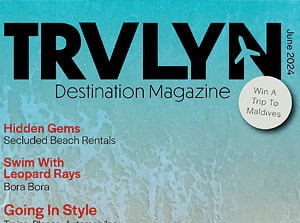
Student projects include this magazine layout design.

Class Projects and Objectives:

This online class is packed with projects and tips. Students can expect to: 

  • Consider some of the key factors in learning design.
  • Explore how to see like a designer.
  • Gain insights into the design process.
  • Learn eight strategies for developing creative design concepts.
  • Review a project brief for an art gallery client. 
  • Research and gather different letterforms for the words Paper, Iron, and Soap.
  • Use Photoshop to create a postcard design containing a collage of letters for each word.
  • Demonstrate a basic ability to use type in an expressive manner and compose a cohesive design.
  • Learn some of the similarities and differences between traditional and digital design.
  • Learn about the tools and production methods used by paste-up designers.
  • Gain some insights into the transition to digital design.
  • Read some thoughts on the limits of digital technology.
  • Plan a retro-inspired advertisement design.
  • Use as few digital means as possible in producing the ad.
  • Use pencil to sketch the layout on the page surface.
  • Print and cut photos, background images, and text.
  • Position and glue down all page elements.
  • Scan or photograph your work and write a short commentary reflecting on your experience.
  • Chart three phases in the development of typography.
  • Learn about three basic types of typeface: serif, sans serif, and script.
  • Learn key issues in choosing and using a typeface.
  • Learn some basic principles for using a typeface for a visual identity.
  • Research existing magazine logo designs.
  • Experiment with altering the typeface, spacing, and weight of your title, keeping any alterations simple.
  • Add the logo subtitle, paying attention to size, relationship, and contrast.
  • Learn key issues in using a grid to plan layout and text treatment.
  • Discover how a famous designer created a magazine layout.
  • Learn key terms in text treatment.
  • Pick up rules of thumb for effective layout.
  • Collect at least 15 small and large images either from the Web or by scanning print images.
  • Describe at least five stories that could accompany the images.
  • Research various magazine designs and the "one message rule."  Design the magazine cover combining your logo, cover image, and story titles.
  • Create a two-page story spread based on the feature article of your cover.
  • Use a standard grid to position images and text on the spread.
  • Reflect on your research and designs. Get an overview of publishing for old and new media.
  • Learn about book design through a real-life case study.
  • Learn how book designers create a visual language for a project.
  • Explore basic approaches to design for educational books, novels, and children's books.
  • Research coffee table books of various genres.
  • Design a book cover that features the work of a modern artist and strong typography.
  • Design a chapter introduction page for the book that includes the artist's name, chapter title, topics, descriptive text, and images.
  • Demonstrate an ability to combine text and images in a way that is both clear and engaging to a reader.
  • Learn about the influence of technique and cost on design.
  • Grasp key terms in the paper design and printing process.
  • Understand how to create effects using die cutting, metal and plastics, and ink and colors.
  • Get an overview of embossing techniques.
  • Create the base for a logo in Illustrator.
  • Print the logo text and the image to be embossed on separate pages.
  • Cut the image into a piece of cardboard.
  • Use the cardboard cutout shape to emboss the logo text page.
  • Design a logo to emboss for your own purposes or a fictional client.
  • Get an overview of product and packaging designing.
  • Discover how visual messages are used to shape consumer perceptions.
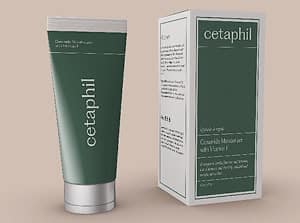
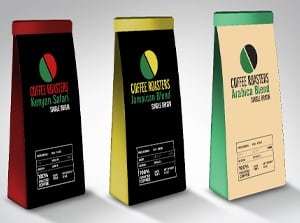
  • Learn how composition, images, brand, color, and typography work together to create a packaging design.
  • Learn about the challenges of designing for an established brand.
  • Research the design elements of current package designs.
  • Create the die line base for a box in Illustrator.
  • Demonstrate an ability to think in three dimensions.
  • Create a 3D mock-up of a box by scaling and rotating three sides of a flat box design.
  • Learn about the role of the designer in the expanding field of visual communication.
  • Gain insight into managing the client-vendor relationship.
  • Learn the purpose and content of three key business forms.
  • Pick up practical rules of thumb for your design career.
  • Reflect on your design experiences and skill set.
  • Consider the design jobs you'd most like to take on.
  • Note your most marketable qualities as a designer including skills, services, and client benefits.
  • Design the front and back of a jumbo postcard, marketing your design skills and goals.
  • Demonstrate an ability to combine design with self-marketing.
  • Study the design brief.
  • Through research to obtain three identical bottles.
  • Design labels for three flavors of olive oil, considering the shape of the bottles and coherence of elements.
  • Create labels and neck booklets that show your bottles are part of the same product line yet distinct items.
  • Print and apply the labels, neck booklet, and cap treatments to the bottles.
  • Photograph your final product, following the guidelines of a professional studio shoot.
  • Learn the importance of collaborating with printers.
  • Get an overview of the ten steps in the print production process.
  • Learn how offset printing works.
  • Learn tips for developing your design portfolio.
Prerequisites:
  • Own and have basic experience with Adobe Photoshop and Adobe Illustrator.
 
 
email page
 
dot
dot
xerox
dot
dot
dot
dot
dot
 
       
sessions
line