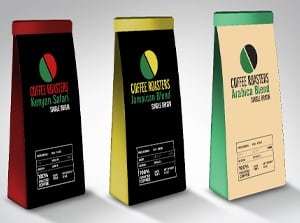
Adobe InDesign Adobe InDesign has everything you need to publish beautiful, professional-looking layouts. In this 6-lesson InDesign training class you will learn all the program fundamentals: importing and manipulating objects, controlling text style and flow, using master pages, applying graphic effects such as shadowing and feathering, and working with graphic effects.
Exciting projects include menu, catalog, and promotional design, visual identity, and book layout. Mentored by veteran instructor Thom McKenna, you'll maneuver your way around InDesign and you'll have impressive portfolio pieces to show for it.
On this page: enrollment details | instructor | class projects and objectives | prerequisites
Class Title: |
InDesign Basics |
|
Start Date: |
Classes start daily.
Enroll today and gain immediate access. |
|
Class Length: |
Three months of access to class materials and instructor feedback. |
|
|
Other details: |
Self-paced, online, 24 access to online learning environment |
|
|
| |
Tuition:
$1100
|
 |
 |
|
 |
Class Instructor Bio:
Thom McKenna is the Owner/Senior Creative Director of FlatironWorks, a graphic/multimedia design firm based in New York City. Thom has over 12 years experience in the graphic design industry, including multimedia and television work within the advertising, design and publishing world. As Art Director of Emerging Markets, an international daily newspaper covering the major IMF/World Bank and Regional Bank meetings, Thom has published on-site in the following countries: Argentina, Bulgaria, China, Ivory Coast, England, France, Germany, Israel, Italy, Kenya, Mexico, New Zealand, Nigeria, The Philippines, Portugal, Russia and Spain. His current clients include Sports Illustrated, JP Morgan, American Express, AIG, Thomson Financial, Thomson Publishing, Berlitz International, Citibank, Tower Air, and Merrill Lynch. |
Class Projects and Objectives:
This online class is packed with projects and tips. Students can expect to:
- Learn about the benefits of InDesign as a layout application.
- Learn how to create a document and set basic preferences.
- Learn how navigate and use the main features of the InDesign interface.
- Learn to apply rulers and guides to prepare a document for designing.
- Design a one-page restaurant menu.
- Create a simple restaurant logo using available typefaces.
- Create/research appropriate menu options and a color scheme.
- Set up a personal menu using frames to add background colors, graphics, and text.
- Learn to work with multi-page documents and create master pages.
- Learn how to create document pages from a master page.
- Learn how to number pages and create sections.
- Learn to insert text and graphics with frames.
- Learn methods of navigating and previewing layouts.
- Prepare a catalog to a specified design using given content.
- Utilize master pages as the main layout medium.
- Adjust master page items to fit specific needs.
- Use text boxes, placed images, page numbering, and other features to produce the document as accurately as possible.
- Learn to select and manipulate objects with selection tools.
- Learn to draw objects using shape and freehand tools.
- Explore methods of manipulating objects with transformation commands.
- Learn to apply and modify fills and strokes.
- Understand color management and printing tools.
- Draw a logo using shapes, transformations, text, and color.
- Design a letterhead, logo, and business card incorporating the logo and contact information.
- Use the Eyedropper to copy text formatting to multiple text areas.
- Learn to link and thread text over a series of frames.
- Learn the various text wrap settings and how to use them.
- Learn to apply formatting to characters and paragraphs.
- Understand how styles are used to automate formatting.
- Explore special type effects.
- Explore formatting book text to create a readable layout.
- Use several methods of text wraps with images and clipping paths.
- Reformat a catalog creatively and with attention to readability.
- Learn various methods for placing image files in a page layout.
- Learn how clipping paths are created and used for various effects.
- Learn to manage page elements using layers.
- Learn to manage content using links and libraries.
- Learn the major color management settings and how to use color presets.
- Design an attractive poster using given imagery and text.
- Use layers and a library to build a promotional flyer design and arrange assets.
- Design description cards and embed image files in the document.
- Design a price list using a table structure.
- Learn how and when to apply transparency effects in page layouts.
- Learn about the printing issues related to transparency.
- Learn how books and large documents are created in InDesign.
- Learn to create tables of contents and indexes for multi-page documents.
- Learn how to prepare documents for professional printing.
- Learn to export documents to PDF and HTML.
- Prepare a multi-chapter book as an InDesign Book file.
- Apply consistent formatting across all chapters of the book.
- Preflight two documents and correct any errors.
- Export a document as a PDF with proper settings.
| Prerequisites: |
- Own or have access to Adobe InDesign CS or CS2 and Adobe Photoshop or equivalent digital imaging program.
|
|