designMaster
icon
1 class
check
student login
username
password
login
how works l how works l faq l faq l faq


Flash & Typography Training

Adobe Flash Projects

Flash & Typography Creating motion on your Web site is a great way to attract the attention of your target audience. That's why Web designers turn to Adobe Flash, the #1 animation tool for the Internet.

Animated graphics can hype up a Web page, but don't forget the letters and words can also move. In this course, you'll learn how to turn typography into motion graphics, adding visual excitement to your Web pages. Step-by-step projects focused on typography help you enhance your portfolio with creative visual communications. Your unique design sense, a feeling for type, and your growing familiarity with Flash will make all of this possible.

On this page: enrollment details | instructor | class projects and objectives | prerequisites

Class Title:

Flash & Typography

Start Date:

Classes start daily.
Enroll today and gain immediate access.

Class Length:

Three months of access to class materials and instructor feedback.

Instructor:

David Witt

Other details:

Self-paced, online, 24 access to online learning environment


Tuition: $408

enrollNow more info

flash

Class Instructor Bio:

David Witt is a Brooklyn, NYC-based new media artist and award-winning interactive multimedia designer. He has worked for many top brands and agencies, and has a background in graphic design, web design, digital imaging and high-end print production. His current focus is on creating new paradigms in interface design and multimedia applications using FlashMX/Actionscript, which he also uses to create abstract animations that are shown at galleries and new media venues around New York City. David holds a MFA in Design + Technology from Parsons School of Design.

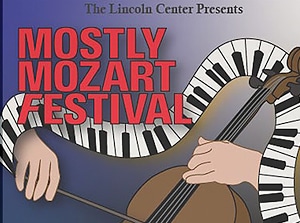
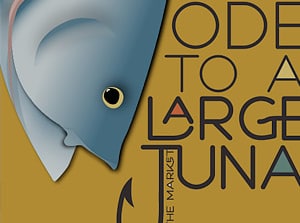
LEFT: Image from Flash & Typography with David Witt
Flash typography is planned and designed with purpose.

Class Projects and Objectives:

This online class is packed with projects and tips.  Students can expect to: 

  • Learn the importance of typography in Flash animation.
  • Learn three important tenets of text animation.
  • Learn about the basic building blocks of typography.
  • Explore principles for moving and morphing type in Flash.
  • Demonstrate a basic ability to manipulate the shape, color, and alpha of type characters using Flash.
  • Prepare a vector image in Illustrator or Freehand for Flash animation.
  • Create a text animation that illustrates the properties of different type elements.
  • Learn about the importance of abstraction in typography and motion graphics.
  • Explore case studies of Flash motion graphics on the Web.
  • Create an animated logo.
  • Demonstrate an ability to use layers, movie clips, and other symbols, as well as motion tweening.
  • Introduce individual animation ideas into the design.
  • Learn about seven "frames of mind" for type design.
  • Learn some important concepts in type spacing, kerning, and weight.
  • Explore t case studies of effective logo design and animation.
  • Create a Flash animation of a name using a consistent style.
  • Demonstrate an ability to use type characters as the focus of an animation.
  • Exhibit a basic proficiency in the use of tweening and alpha transparency.
Prerequisites:
  • Own and have basic experience with Adobe Flash MX or MX 2004.
 
 
email page
 
dot
dot
xerox
dot
dot
dot
dot
dot
 
       
sessions
line