designMaster
icon
1 class
check
student login
username
password
login
how works l how works l faq l faq l faq
faculty
  DesignMentor courses    
 

Microsoft PowerPoint Class

Learn PowerPoint Design Online

PowerPoint Design Everyone thinks they know Microsoft PowerPoint, but remarkably few of us can create PowerPoint presentations that are clear and visually appealing, engaging audiences with both design and content.

In this 6-lesson PowerPoint class you'll learn hands-on techniques for designing effective PowerPoint presentations, studying how professional designers create custom slideshows with impact and appeal. You will gain a thorough understanding of PowerPoint's most important tools and features and explore various approaches to layout, color, imagery, navigation, and animation. Course projects require students to design professional PowerPoint presentations for a range of professional client situations. Colleagues will be blown away by your PowerPoint slideshows. It's PowerPoint with pizzazz!

Important: Some experience in Photoshop is suggested but not required for this class.

On this page: enrollment details | instructor | class projects and objectives | prerequisites

Class Title:

PowerPoint Design

Start Date:

Classes start daily.
Enroll today and gain immediate access.

Class Length:

Three months of access to class materials and instructor feedback.

Instructor:

Christopher Schmitt

Other details:

Self-paced, online, 24 access to online learning environment


Tuition: $803

enrollNow more info

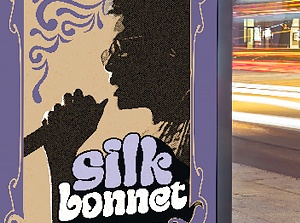
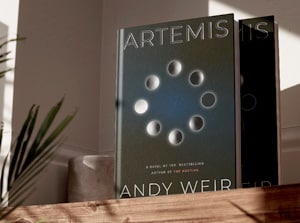
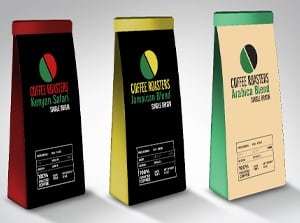
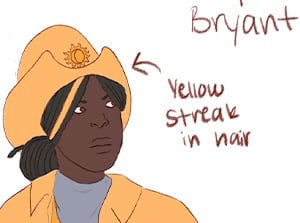
PowerPoint DesignTOP: Images from PowerPoint Design with Christopher Schmitt.
PowerPoint does not have to look like…well…PowerPoint. Nice color use and layout in the above slides.

Class Instructor Bio:

Christopher Schmitt is an award-winning Web designer and developer who has been on the Internet since 1992. In 1997 he graduated with a Fine Arts degree with an emphasis on Graphic Design from Florida State University , where he designed the first incarnation of the department's Web site. He has written for Web Techniques, A List Apart, Digital Web, Web Reference, and contributed four chapters to XML, HTML, XHTML Magic. His latest book, Designing CSS Web Pages, covers contemporary new media design through Cascading Style Sheets, Dynamic HTML, PNG, & SVG. Currently Schmitt resides in Tallahassee , FL where he continues to write about Web design and Web culture.

Class Projects and Objectives:

This online class is packed with projects and tips. Students can expect to:

  • Learn how PowerPoint is typically used and how a graphic designer approaches PowerPoint design.
  • Explore the function of the main tools in the PowerPoint workspace.
  • Learn how to create, navigate, and save a PowerPoint presentation working from a template.
  • Learn some principles for designing well in PowerPoint.
  • Explore some principles of effective presentation design through a case study.
  • Create a short, custom presentation template working with given content and images.
  • Show the ability to align and format text, draw shapes and add color, and import and scale graphics.
  • Follow the same steps to develop a short presentation.
  • Learn how to develop a custom PowerPoint template by setting up a Slide Master and Title Master.
  • Read a case study exploring how a Slide Master and Title Master are used.
  • Learn how to develop a PowerPoint layout design using a grid.
  • Learn some principles for effective slide design.
  • Explore how to select Slide Layouts and add text boxes.
  • Learn how to modify the type, size, and color of type.
  • Learn how to add and format bullet points and select custom ones.
  • Learn some principles for selecting typefaces in PowerPoint.
  • Create a visually appealing PowerPoint presentation working with given text.
  • Research and edit in Photoshop images that are appropriate to the presentation.
  • Create a wireframe of the layout and replicate the layout in a Design Master slide.
  • Create a presentation from the Design Master slide.
  • Explore the psychological impact of color choice.
  • Learn pointers for using color in PowerPoint and working with or developing color schemes.
  • Learn some basic techniques for preparing digital images for presentations.
  • Learn applications for drawing and using shape tools in PowerPoint.
  • Learn how to place an image in an object.
  • Create a PowerPoint presentation working with existing text content.
  • Source or create graphics for the presentation using digital imaging techniques and drawing tools.
  • Apply a consistent color scheme throughout the presentation, either working from a given palette or by developing an individual one.
  • Learn how to add and modify slide transitions.
  • Learn how to add preset animations.
  • Learn how to customize animations.
  • Learn how to animate bullet points.
  • Explore a case study on adding animations and transitions.
  • Learn how to add non-linear navigation and link to the Web.
  • Apply a transition to each slide of the travel presentation.
  • Use animation in at least three places to draw attention to slide elements.
  • Demonstrate an ability to use transitions and animations tastefully and appropriately to the theme and mood of a presentation.
  • Learn how designers are typically asked to represent data in Powerpoint.
  • Learn how to create and modify charts in PowerPoint.
  • Learn how to import charts from Excel and link to Excel data.
  • Learn how to customize charts and choose the appropriate graphical format.
  • Learn how to incorporate data into existing designs.
  • Develop an attractive and effective presentation with given information.
  • Create an accurate graph based on text information.
  • Create two accurate graphs based on data in Excel spreadsheets.
  • Learn how to manage associated files and embed fonts.
  • Learn how to put a presentation on a CD.
  • Learn about options for printing slides.
  • Learn how to publish a presentation directly to the Web or publish it as HTML.
  • Learn tips for delivering an effective presentation.
  • Write a PowerPoint presentation to showcase a nightclub, working from given images.
  • Create the presentation using Slide Master and Title Master.
  • Incorporate images in a creative manner and use clear, consistent color, typography, and layout.
  • Create custom animations, transitions, and/or non-linear navigation scheme to add juice to any presentation.
  • Demonstrate the ability to publish a presentation to the Web.
Prerequisites:
  • Microsoft PowerPoint 2002 or higher
 
 
email page
 
dot
dot
xerox
dot
dot
dot
dot
dot
 
       
sessions
line