designMaster
icon
1 class
check
student login
username
password
login
how works l how works l faq l faq l faq
faculty
  DesignMentor courses    
 

Web Design Class

learn web design online

Information Design I Web design today requires an understanding of graphic design, navigation design, and page layout as well as a basic proficiency in HTML, XHTML, CSS, and JavaScript. This intensive 9-lesson class equips you for the challenge through thorough, instructor-led Web design projects. Class assignments focus on topics like project planning, layout, usability, learning different design styles, adding popup windows, forms, and CSS. You'll complete the online class with a plethora of projects and some fully-functional Web sites to add to your portfolio.

On this page: enrollment details | instructor | class projects and objectives | prerequisites

Class Title:

Web Design I

Start Date:

Classes start daily.
Enroll today and gain immediate access.

Class Length:

Three months of access to class materials and instructor feedback.

Instructor:

Christopher Schmitt

Other details:

Self-paced, online, 24 access to online learning environment


Tuition: $803

enrollNow more info

Class Instructor Bio:

Christopher Schmitt is an award-winning Web designer and developer who has been on the Internet since 1992. In 1997 he graduated with a Fine Arts degree with an emphasis on Graphic Design from Florida State University , where he designed the first incarnation of the department's Web site. He has written for Web Techniques, A List Apart, Digital Web, Web Reference, and contributed four chapters to XML, HTML, XHTML Magic. His latest book, Designing CSS Web Pages, covers contemporary new media design through Cascading Style Sheets, Dynamic HTML, PNG, & SVG. Currently Schmitt resides in Tallahassee , FL where he continues to write about Web design and Web culture.

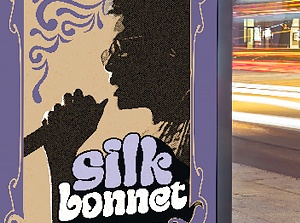
LEFT: Image from Web Design I with Christopher Schmitt.
Master professional web design skills.

Class Projects and Objectives:

This online class is packed with projects and tips.  Students can expect to: 

  • Learn a systematic approach to planning Web design projects.
  • Learn how to identify clients' needs and evaluate competitor sites.
  • Learn how to profile a site's audience by creating user personas.
  • Learn tips for content gathering and creating site maps.
  • Get a refresher on the basic table elements every Web designer should know.
  • Learn the pros and cons of two main Web page layouts, fluid and ice.
  • Learn how to use different attributes to modify and control table layout.
  • Explore two case studies about fluid and ice layouts.
  • Learn how single pixel GIFs are used in Web page layouts.
  • Learn about the importance of bandwidth issues.
  • Learn tips for optimizing GIFs and JPEGs.
  • Learn do's and don'ts for navigation design.
  • Learn color theory concepts that are essential to effective Web design and usability.
  • Learn about the purpose and characteristics of personal sites.
  • Learn about the purpose and characteristics of portfolio sites.
  • Learn about the purpose and characteristics of independent online magazines.
  • Consider the pros and cons of blogs versus sites that are self-designed and published.
  • Learn design characteristics common to news, big business, and small business sites.
  • Learn how Web advertising and placement works.
  • Learn how Web sponsorship works.
  • Learn some basics about how Web forms are designed and how they work.
  • Learn metrics for measuring the success of your Web site. 
  • Learn about the defining characteristics of four "underground" design styles.
  • Explore case studies that showcase unconventional approaches to Web design projects.
  • Learn techniques used by leading designers to create "underground" design styles.
  • Select a Web site from five given sites and "reverse engineer" its structure.
  • Create a site map that outlines the overall architecture, naming, and hierarchical relationship of site sections.
  • Write a single user profile for the site you've mapped.
  • Select a site to build.
  • Create a set of six HTML tables incorporating different types of elements.
  • Use a series of images, single pixel GIFs, and tables to create an HTML page layout.
  • Design a home page and second level page.
  • Create a color scheme for the two pages that establishes the mood of the site.
  • Design a navigation for your site and include it on your pages.
  • Optimize your images with page size goals in mind.
  • Create a small personal site (4-5 pages) for someone you know.
  • Keep page weight to under 40K for the home page and 25K for subsequent pages.
  • Use a table layout, create an easy-to-use navigation, and select an appropriate color scheme.
  • Create and publish a mini-site with a home page, a schedule page, a character description page, and a newsletter subscription page.
  • Follow specific guidelines in the design of each page.
Prerequisites:
  • Own and have basic experience with Adobe Photoshop or Macromedia Fireworks, or equivalent digital imaging program. Macromedia Dreamweaver or Adobe GoLive or Microsoft Frontpage or good HTML coding skills.
 
 
email page
 
dot
dot
xerox
dot
dot
dot
dot
dot
 
       
sessions
line