Writing JavaScript and DHTML If learning how to write JavaScript and CSS excites you, than read on… This 6-lesson class will kick up your confidence in your coding and W3C compliance.
In this 6-lesson class, you'll learn how to code interactive and functional JavaScript and DHTML from scratch, creating impressive navigation menus, browser detectors, animated text and image objects, dynamic content, custom mouse pointers, slide shows, and more. This class will enable you to write your own scripts, putting you in complete control of your Web pages.
On this page: enrollment details | instructor | class projects and objectives | prerequisites
Class Title: |
Writing JavaScript and DHTML |
|
Start Date: |
Classes start daily.
Enroll today and gain immediate access. |
|
Class Length: |
Three months of access to class materials and instructor feedback. |
|
|
Other details: |
Self-paced, online, 24 access to online learning environment |
|
|
| |
Tuition:
$803
|
 |
 |
|
 |
Class Instructor Bio:
Alexander Foley is an online development consultant and the Technical Director of The Credo Group, an online insurance marketing company. Alex has more than 10 years of Internet application development for a broad range of industries. Alex has managed and participated in all stages of application development for projects in a variety of languages, frameworks, and infrastructures. Alex has played a variety of roles in the development of large and small Internet-based applications for such notable corporations as New York Life, Mutual of Omaha, Prudential, Blue Cross Blue Shield, and MasterCard.
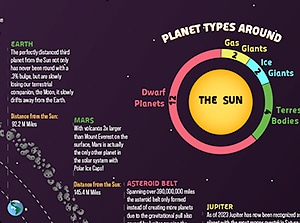
LEFT: Image from Writing Javascript and DHTML with Alex Foley.
This class gives your sites new levels of functionality and interactivity. |
Class Projects and Objectives:
This online class is packed with projects and tips. Students can expect to:
- Discover the components that make up DHTML.
- Learn when to use DHTML rather than Flash.
- Explore the difference between an element and an object and how you create an object.
- Learn how to find an object on the Web page using JavaScript.
- Learn how to pass information about an event from an object to a JavaScript function.
- Practice setting up objects.
- Demonstrate your knowledge of how to find the object on the screen and then make changes to its position.
- Demonstrate your knowledge of how to pass information to a function from an object.
- Experiment with changing CSS properties of an object.
- Set up JavaScript functions that react to what the user is doing on the screen.
- Animate an object using DHTML.
- Use event handlers and functions to crop an object when clicked and hide an object on mouse placement.
- Learn how to control an object's visibility using both the visibility and display properties.
- Learn how to change the visible area of an object.
- Learn how to move an object to a specific point in the window
- Learn how to move an object by a certain amount on the screen.
- Learn how to move an object up and down within the stacking order.
- Learn how to animate an object.
- Use keyboard input to change the behavior of an object.
- Control the position of the browser window with the moveTo method.
- Display as much information about an object on the screen as you can.
- Learn how to equalize the event object so that Netscape and Internet Explorer work together
- Explore the event object to find out what happened and where.
- Become familiar with the characteristics of the screen, browser window and objects in your Web page.
- See how to change an object CSS properties.
- Set up a basic page structure using CSS or HTML tables.
- Use JavaScript variables and external JavaScript files to create dynamic page elements.
- Display elements on the screen in random order.
- Show and hide elements as needed without reloading the Web page.
- Learn to use external JavaScript files to create Web designs that can be controlled from a single file.
- Learn to add and remove HTML objects and text from Web pages.
- Learn how to present random content on the page.
- Discover how to include multiple pages of content in a single Web page to speed the user experience.
- Choose the navigation style that will work best with your design.
- Create pop-up hypertext menus.
- Add visually attractive slide show functionality.
- Discover the importance of navigation for the success of your design.
- Learn how to add various dynamic navigation schemes to your Web page.
- Learn how to put a slide show on your site to swap images without changing pages.
- Create a sortable table.
- Provide keyboard navigation controls.
- Allow the user to control the size of the text they are reading.
- Complete the remaining pages of the site based on the template.
- Think about how to present dynamic controls that put the user at the center of the Web experience.
- Learn how to create customized scroll controls.
- Learn how to allow users to drag objects around within the Web page.
- Learn how to present tabular data that can be re-sorted with a single mouse click.
- Discover how to change the appearance of the mouse pointer
| Prerequisites: |
- Very basic knowledge of html, css, and javascript.
|
|